To ensure correct taxation in cases where payments to the same employee are made through multiple counterparties, we have added the Counterparty dimension to payment methods.
Additionally, the Tax Group and custom journal entry (Dr/Cr) settings have been moved to the payment methods section. They are now configured separately for each counterparty.
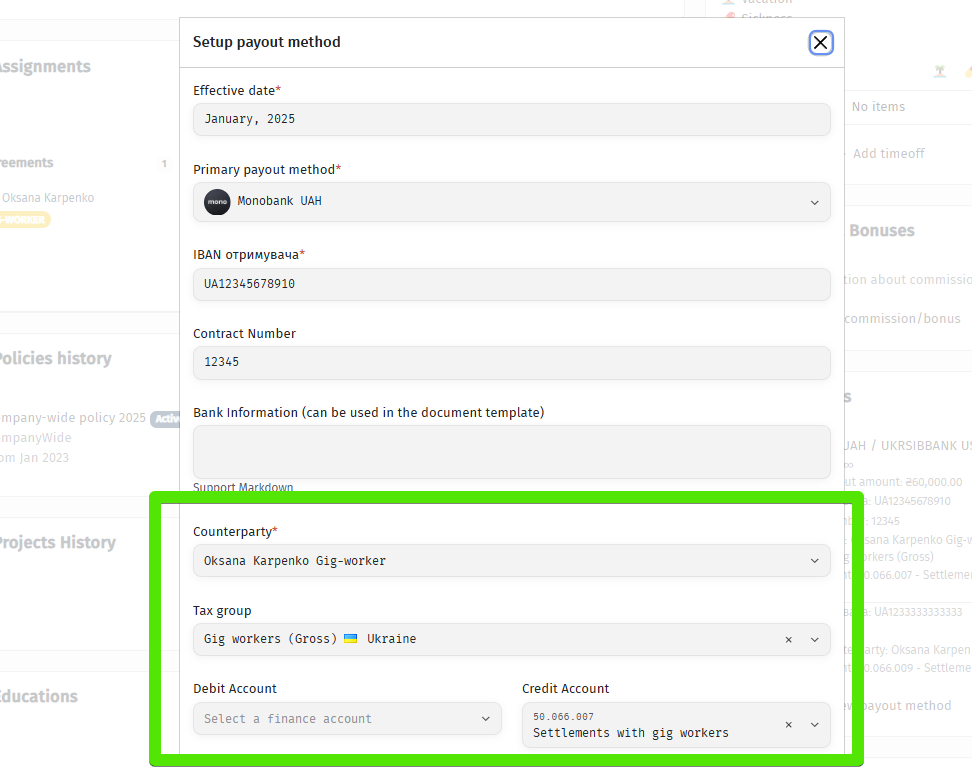
From now on, a Payout Method is defined as a unique combination of the following dimensions:
• Counterparty
• Payout Currency
• Tax Group
• Employee Bank Details
• Company (Sender) Bank Details
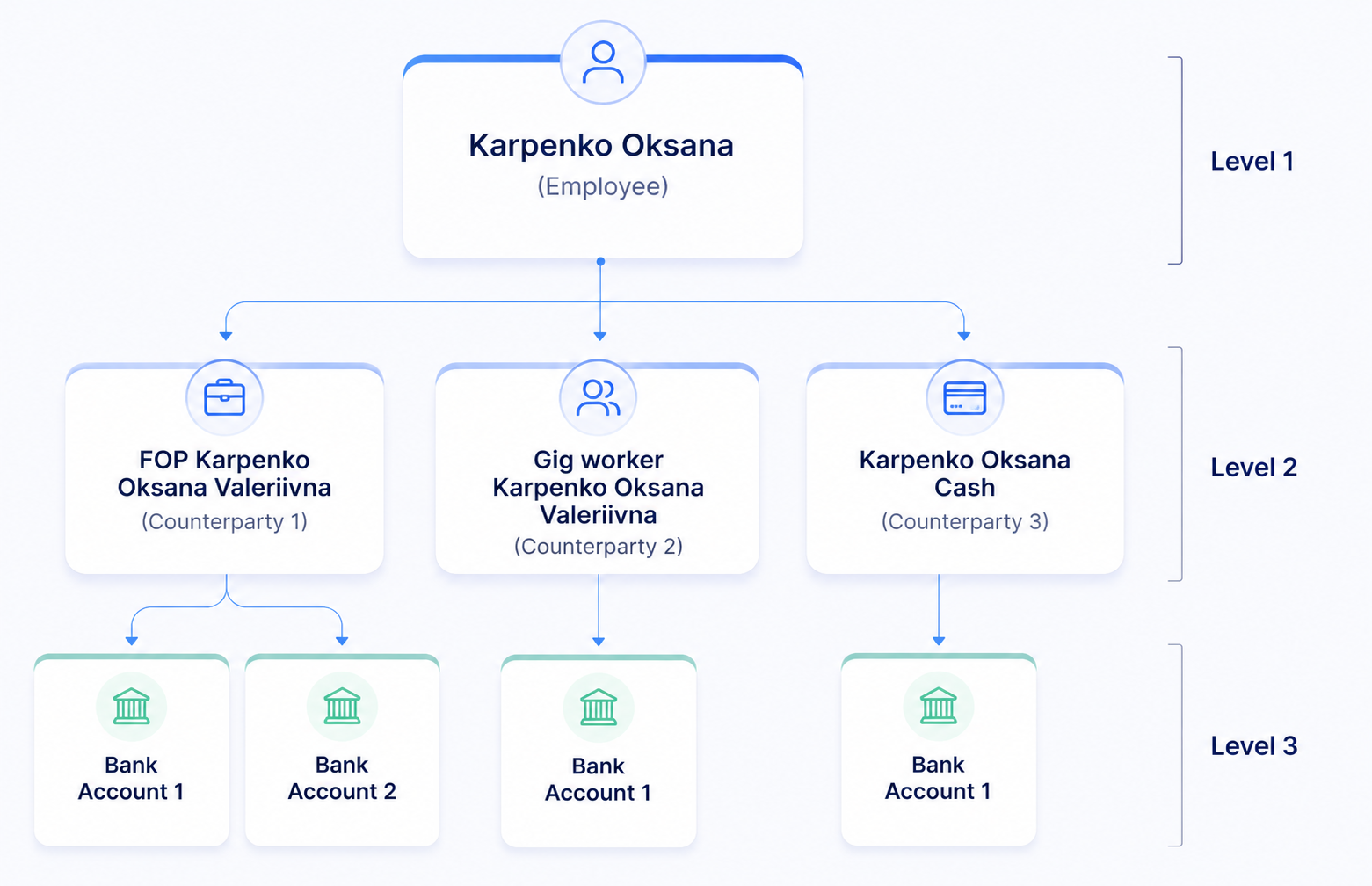
Some data in the system is associated with the Employee, while other data may differ for each of the employee’s Counterparties.
It is important to keep this distinction in mind when configuring payout methods, bank details, and tax settings.
The data hierarchy is structured as follows:
🔍 Let’s look at the functionality through examples
Example 1. Combined engagement: Gig Contract + Sole Proprietor (FOP)
At the same time, Oksana has two Counterparty roles:
• Gig Contractor (Counterparty 1)
• Sole Proprietor (FOP) (Counterparty 2)
The total agreed monthly compensation is 3,000 CU (currency units), allocated as follows:
• 1,500 CU is paid in UAH under the Gig Contract. This is a gross amount, from which applicable taxes are withheld.
• The remaining 1,500 CU is paid to the Sole Proprietor (FOP) in USD, also as a gross amount, with no tax compensation provided by the company.
This example should be configured in the system as follows:
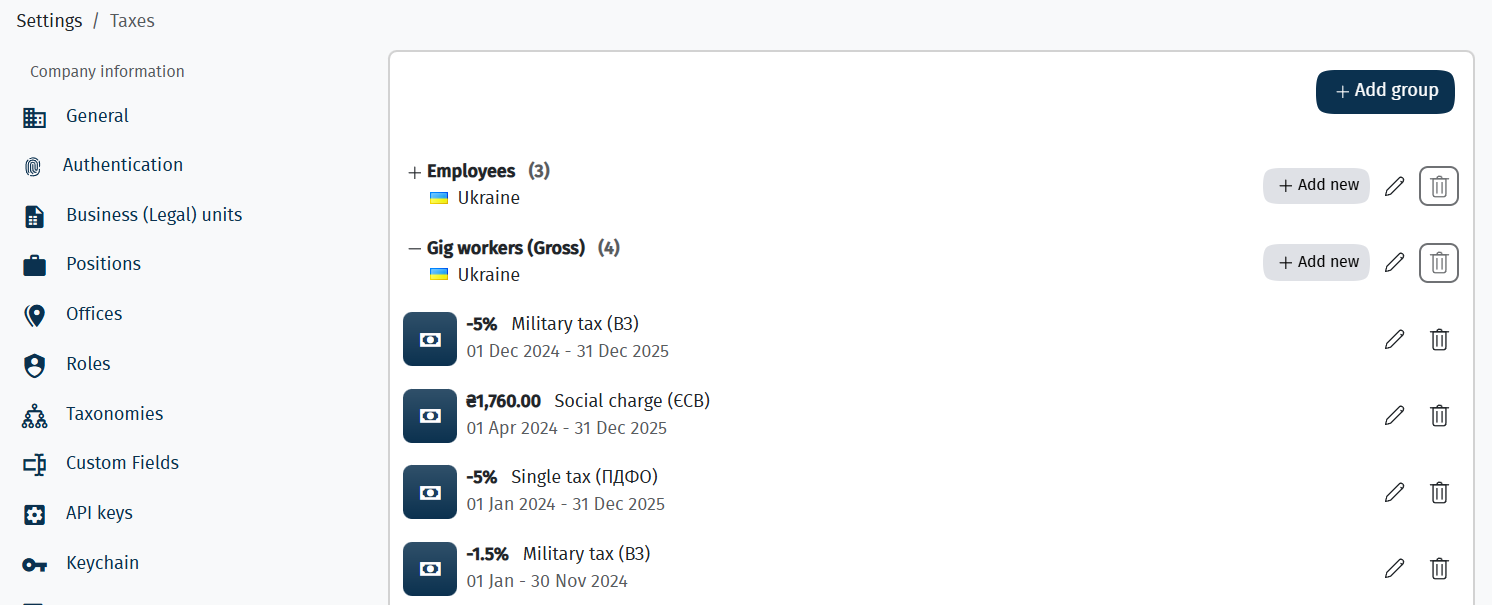
▶️ Step 1. Configure taxes for Gig Contractors
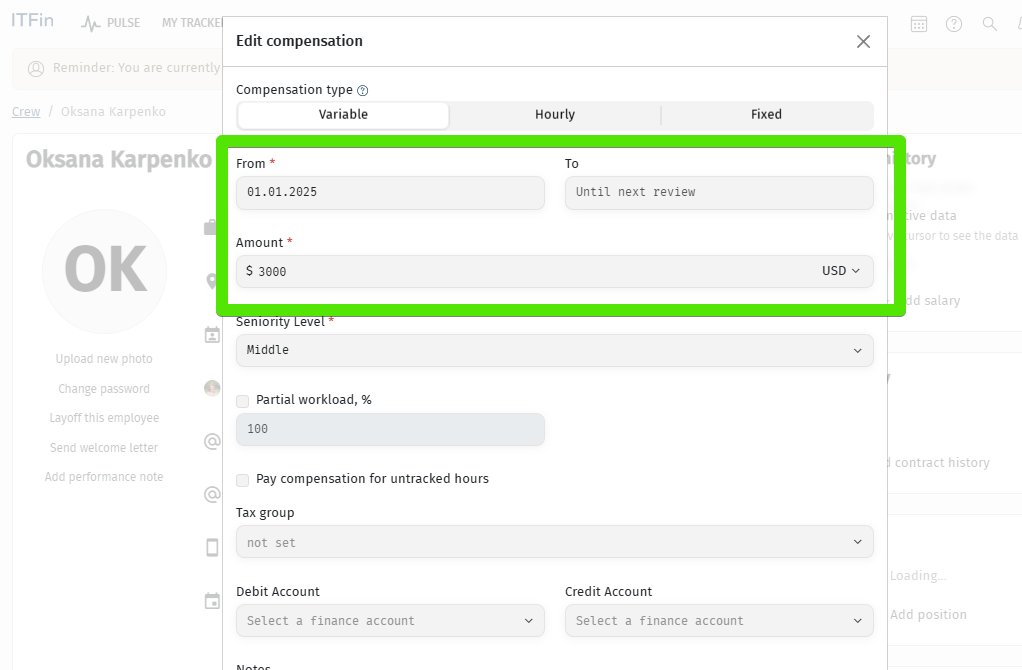
▶️ Step 2. Add compensation
Do not add a Tax Group to the compensation.
▶️ Step 3. Add payout methods
Split the payout, add the new counterparties, and select the appropriate counterparty for each payout method.
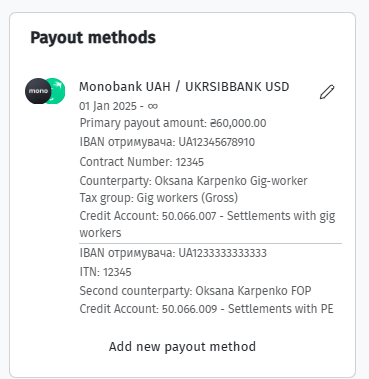
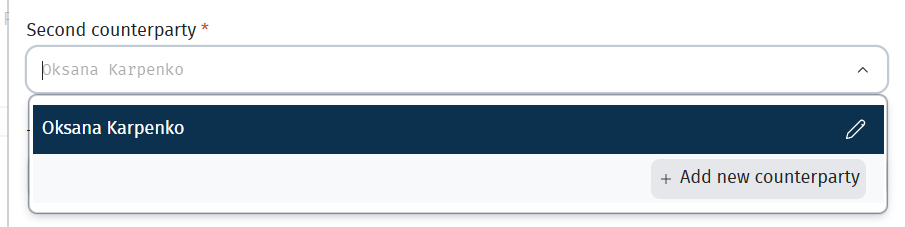
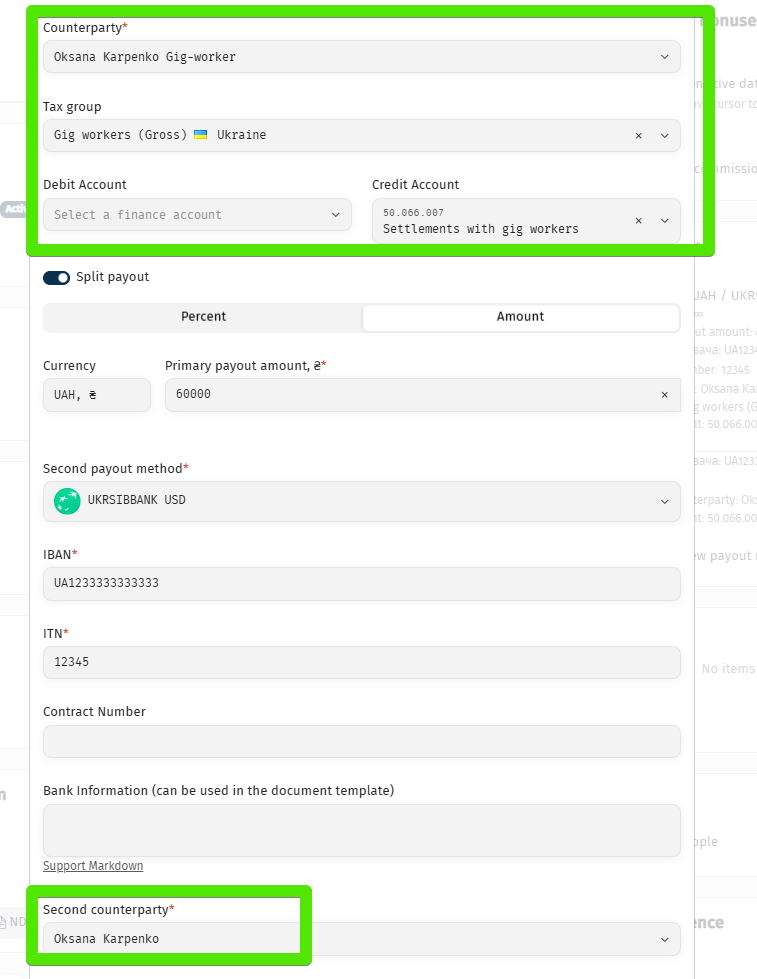
This way, we define how the payout is split between counterparties, which Tax Group applies to each payout, and, optionally, separate Credit accounts for recognizing liabilities related to the Gig Contractor payout. If it is sufficient for the accruals to be posted to the account specified in the P&L Policy, leave this field blank.
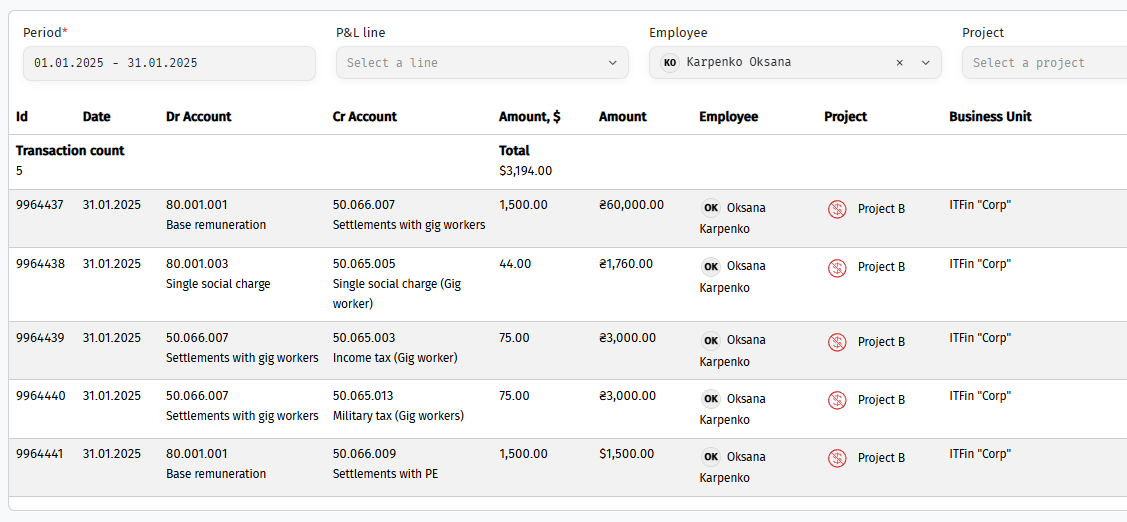
The employee’s Payslip displays both the tax withholding and the tax accrual associated with the Gig Contractor payout.
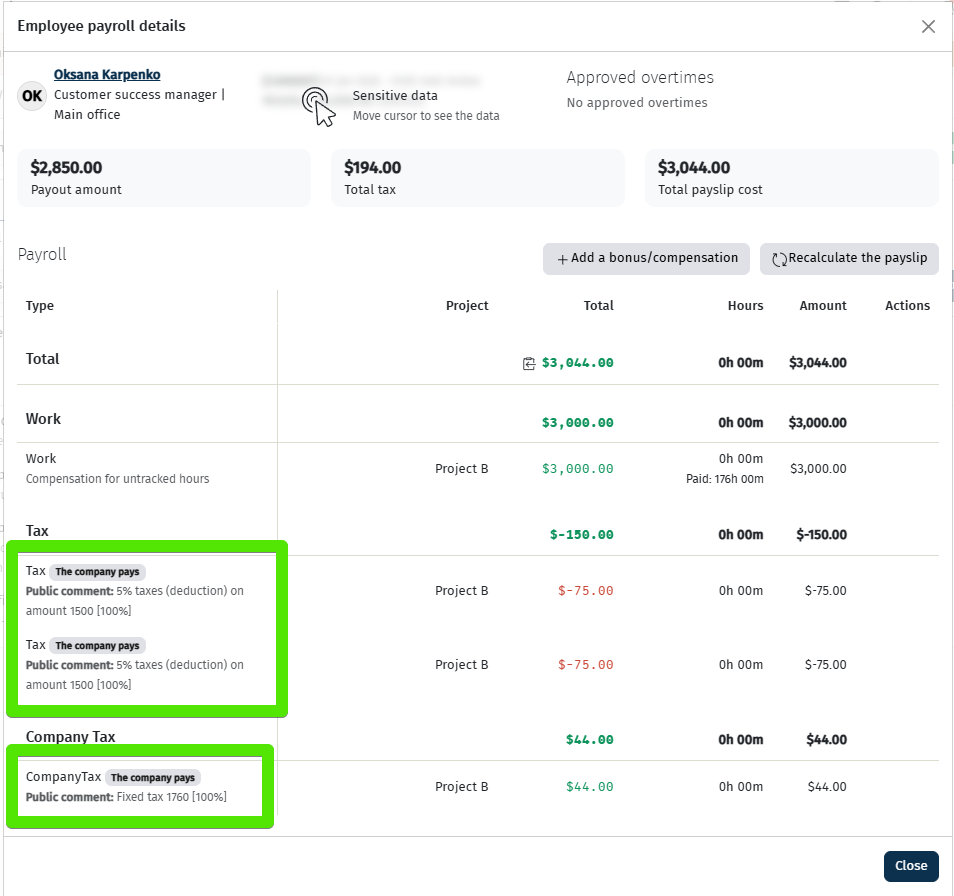
The employee’s Payslip displays both the tax withholding and the tax accrual associated with the Gig Contractor payout.
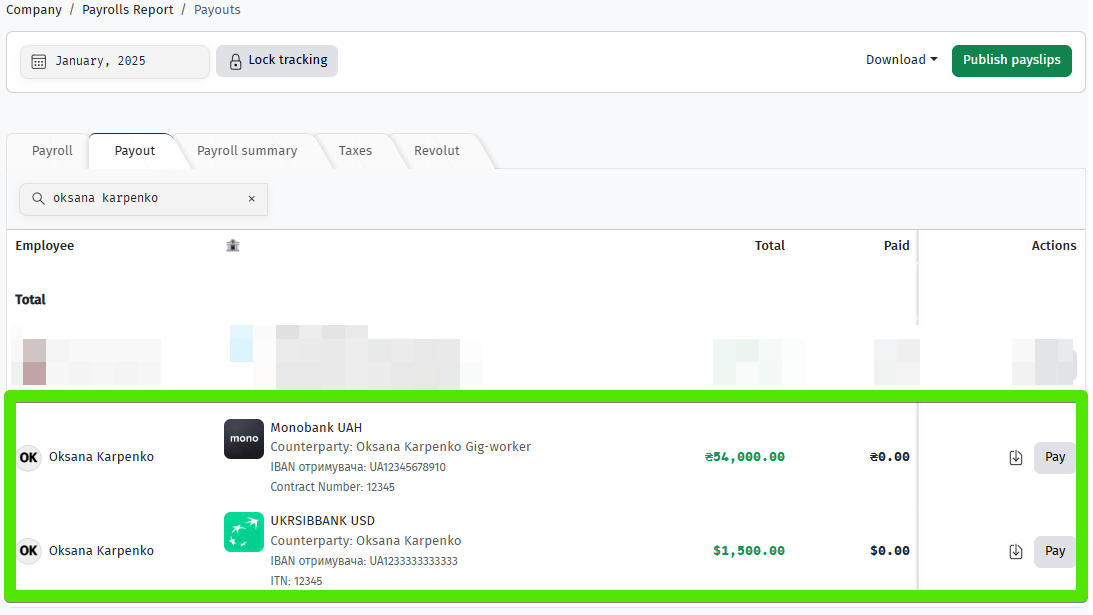
Verify the financial journal entries:
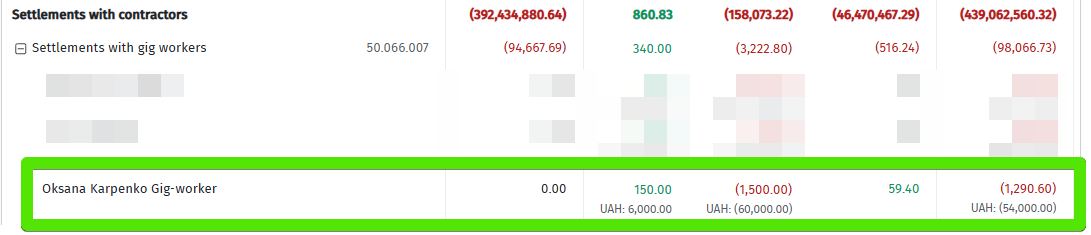
Verify the postings in the Trial Balance:
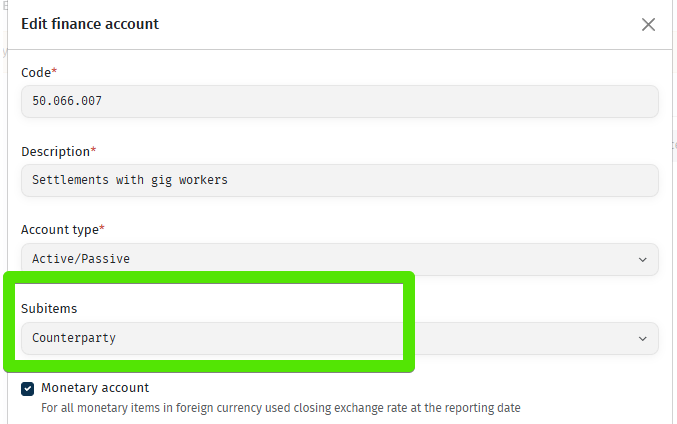
You can configure the Counterparty breakdown in the Chart of Accounts.
Adding Bonuses and Other Counterparty Payments
When payouts are split between multiple counterparties, any additional payments should also be assigned to the appropriate counterparty. This includes specifying which counterparty should receive a bonus or any other payment.
Therefore, when adding bonuses, commissions, or payment requests, always make sure that the Counterparty / Payout Method field is correctly selected.
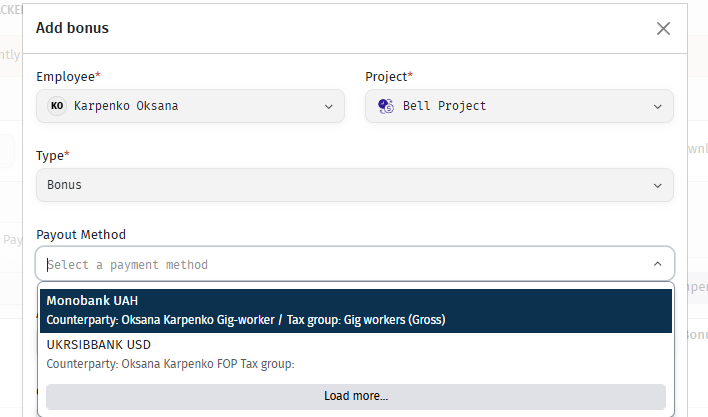
If the Counterparty / Payout Method field is left empty, the system will distribute the payment according to its built-in allocation algorithm.
For commissions in the employee profile and Payment Requests, you should select the Counterparty, as payout methods may not have been configured yet. In contrast, when adding a bonus in Payroll, the payout methods are already defined, so the bonus should be assigned directly to the appropriate Payout Method.
System Algorithm for Distributing Payroll Lines Across Payout Methods
The system determines which Payout Method each payroll line belongs to (Payout Method 1, Payout Method 2, or NULL).
f Payout Method 1 has a fixed amount (limit) configured, the system applies the following logic:
1) All payroll lines explicitly assigned to Payout Method 1 or its associated Counterparty are allocated to Payout Method 1.
2) If the total amount allocated to Payout Method 1 is less than the configured limit, the system fills the remaining amount using payroll lines assigned to NULL.
3) If the total amount allocated to Payout Method 1 exceeds the configured limit, the system assumes that you intentionally increased the payout amount.
In this case, the configured limit is ignored, and no additional NULL payroll lines will be allocated to Payout Method 1.
Example
The limit for Payout Method 1 is USD 1,000.
If you add a USD 1,500 bonus assigned to the counterparty linked to Payout Method 1, the system will treat USD 1,500 as the new effective limit for Payout Method 1.