Use this guide as a checklist to understand where incorrect currency differences can come from:
-
Salary was accrued and paid in different currencies.
-
Currency exchange transactions were linked incorrectly.
-
Payment from a client came in a different currency than the invoice.
Below, each case is covered in detail, with examples of real amounts and postings.
Case 1. Different currencies for salary accrual and payout
This problem often occurs when the accrual is done in one currency and the payout in another. For example, salary is accrued in USD but paid out in EUR. In this case the system treats it as a currency difference and automatically records forex.
How to diagnose: check the currency of the postings in the general ledger and how balances are formed in the Trial balance. If the accrual currency and the payout currency don't match, that's the cause.
Example:
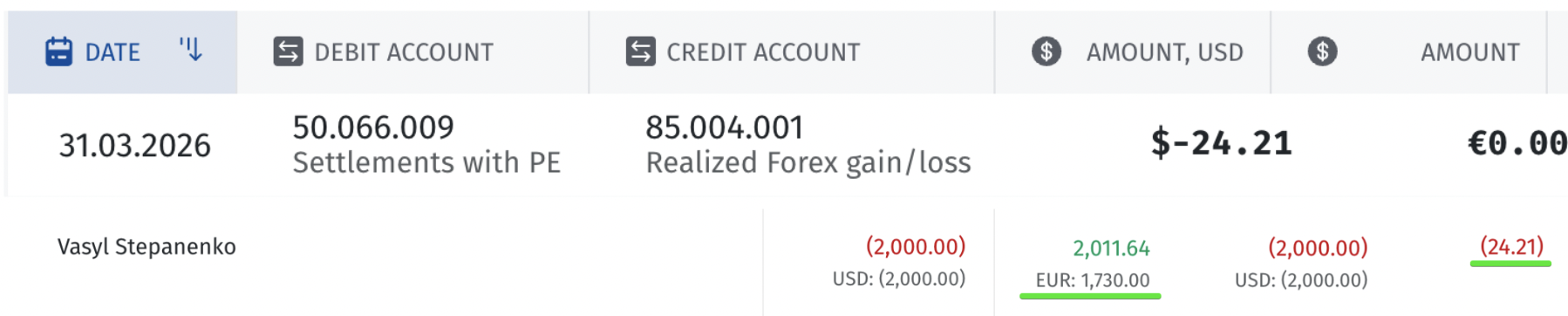
• Accrual: $2,000.00 (USD)
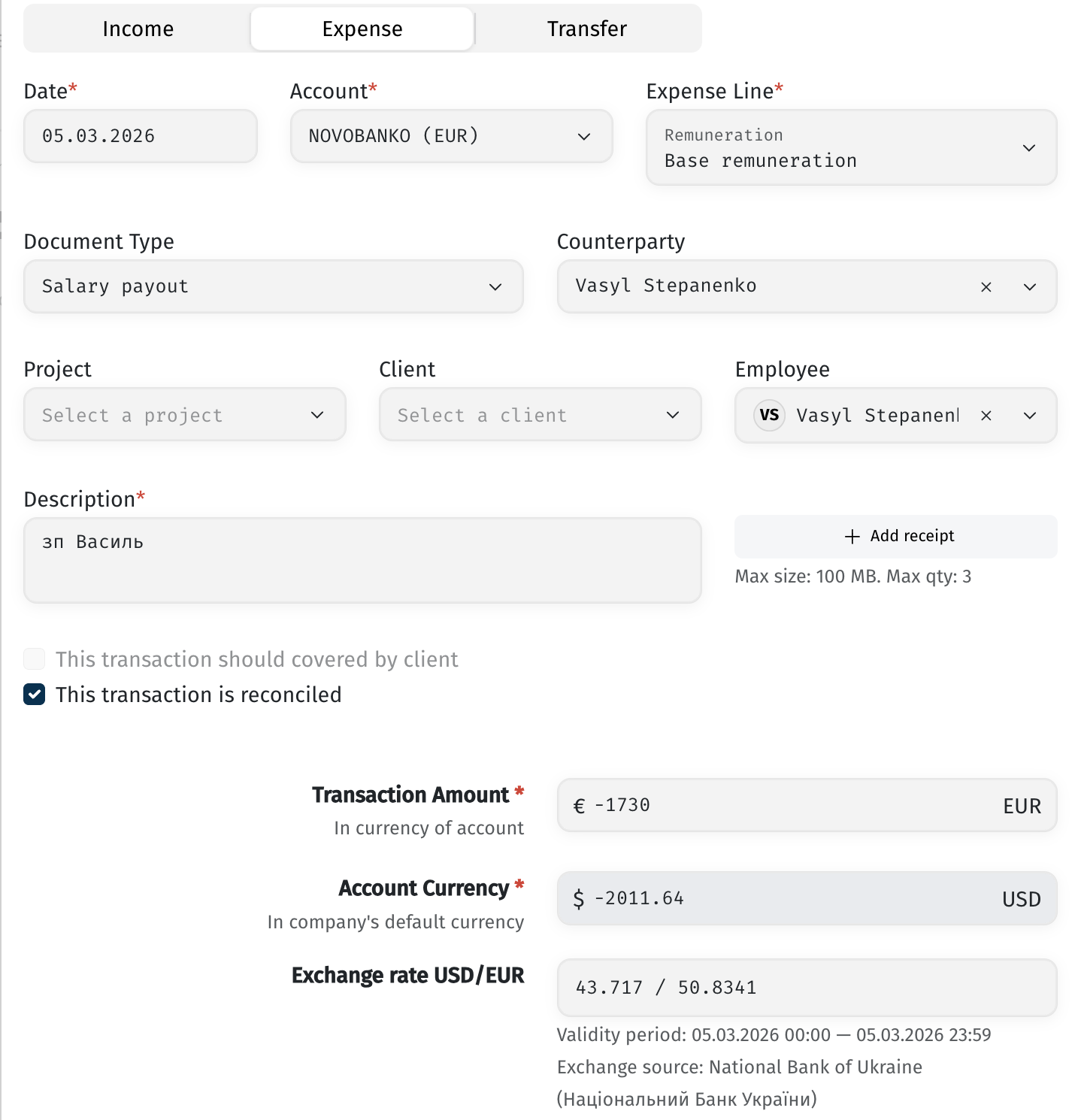
• Payout: €1,730.00, which at the exchange rate on the payout date (05.03.2026, NBU rate USD/EUR 43.717 / 50.8341) equaled $2,011.64
• The difference between the accrued amount and the actual payout amount in USD equivalent: $24.21 → the system automatically generates a forex posting:
This difference arises because the payout was recorded as an expense transaction with the following parameters: account NOVOBANKO (EUR), expense category Remuneration → Base remuneration, document type Salary payout, transaction amount €-1,730 (in account currency), which converted to $-2,011.64 in the base accounting currency at the rate on the transaction date.

Solution: the payout method on the employee's profile must be set in the same currency as the accrual. If an employee needs to be paid in different currencies at different times, create a separate payout method for each currency instead of changing the currency within a single method.
Case 2. Incorrectly linked technical transfers
Another common cause is currency exchange transactions that are linked incorrectly. The amounts in different currencies don't match the real exchange rate, and the system treats the difference as forex. This most often happens on accounts like Money in transit.
How to diagnose: check whether the amounts of the linked transactions match each other and the real exchange rate on the transaction date. If not, the link needs to be broken and recreated with correct amounts.
Example: an incoming transfer of ₴150,000 was linked to an outgoing transaction of $5,000.00, even though these amounts are not equivalent at the real exchange rate.
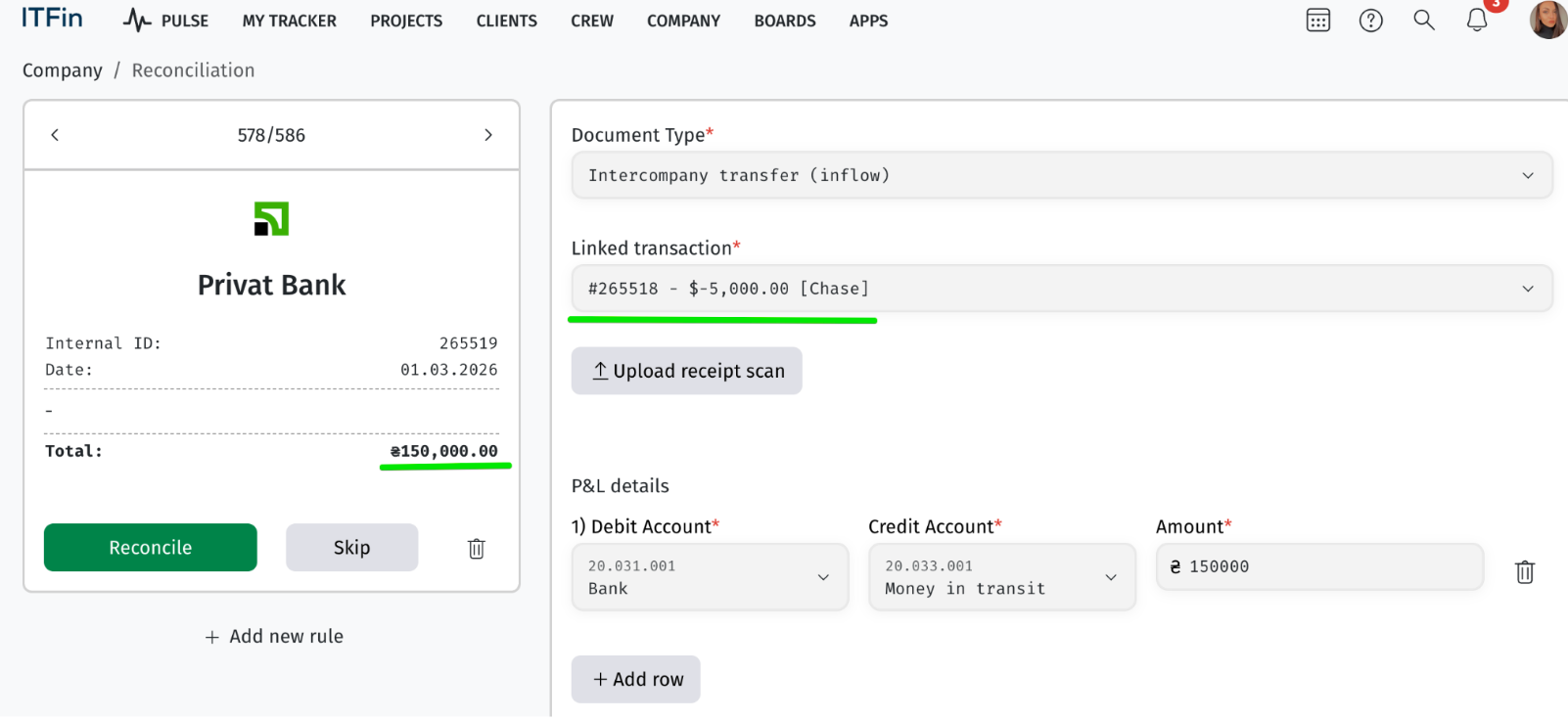
• Reconciliation: Privat Bank, Internal ID 265519, date 01.03.2026, amount ₴150,000.00,
• Document Type: Intercompany transfer (inflow), Linked transaction: #265518 – $-5,000.00 [Chase].
• P&L details for this transaction: Dr 20.031.001 Bank / Cr 20.033.001 Money in transit, amount ₴150,000.
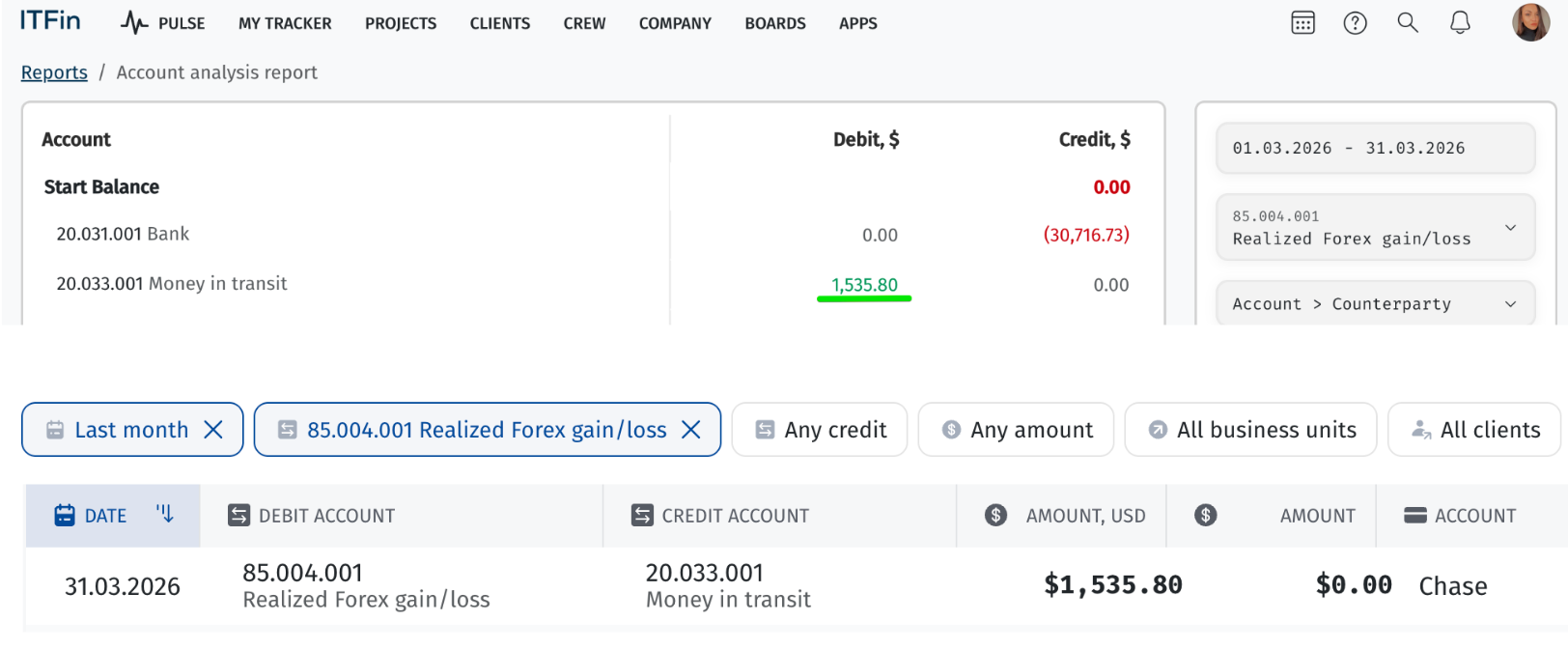
The difference shows up in the report for the Money in transit account:
Solution: before confirming (Reconcile), verify the incoming and outgoing amounts of the transfer against the NBU rate on the transaction date. If the amounts don't match, fix the link (Skip and re-link manually, or add a new rule via +Add new rule) so both sides of the transfer match the real exchange rate.
Case 3. Payment in a different currency than the invoice
If an invoice is issued in one currency and the payment comes in in another, an unexpected currency difference can occur.
How to diagnose: compare the invoice currency and the actual payment currency. If they differ, the exchange needs to be reflected through a technical transfer rather than linking the payment directly to the invoice.
Example: an invoice was issued for $3,000.00, and the payment received was ₴128,000.00. If the payment is linked directly without a technical transfer, an incorrect difference of $2,965.06 appears in Current trade accounts receivable (20.036.001) — a currency difference that shouldn't be there.
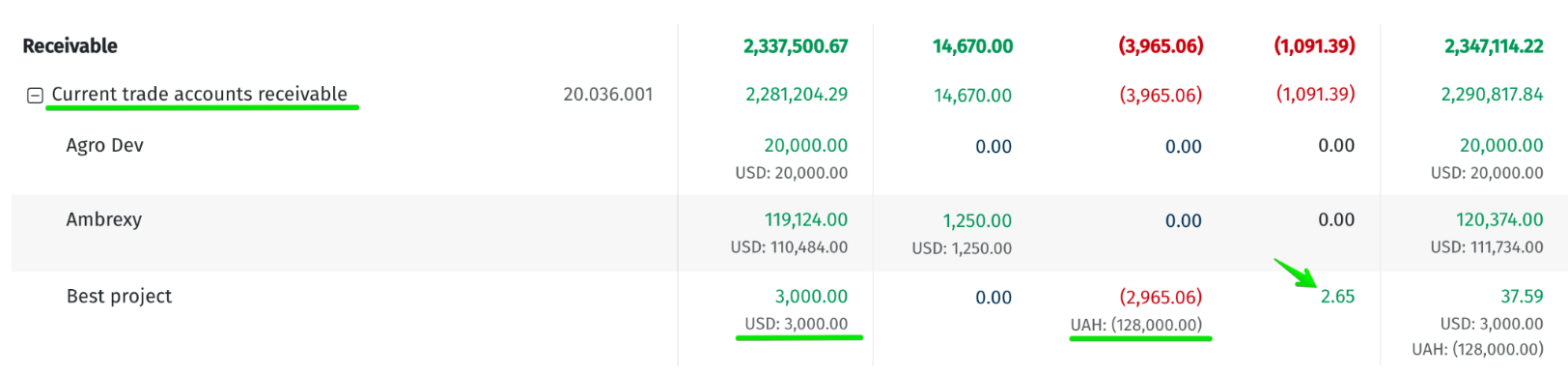
Solution: when a client's payment comes in a different currency than the invoice, first create a technical transfer (conversion) at the amount and rate that match the real operation, and only then link the payment to the invoice. See the separate instructions for how to create a technical transfer.
How forex works
A currency difference can be either a gain or a loss — this is normal and depends on the exchange rate and the type of operation.
Simple rule: if you're receiving a currency, a rising rate gives you a gain. If you're paying, the opposite is true — a rising rate results in a loss.
So even with fully correct settings, forex can look "strange" — that's not always an error, just the result of rate movement.
Why the problem can carry over between months
If an incorrect currency difference occurs once, it flows into the trial balance (ОСВ) and carries over into subsequent periods as part of the balance.
This means that if an error occurred, say, in January, and you only regenerate the P&L for January, the error will remain in February, March, and beyond — it has already "carried over" into the opening balance of the next period.
Solution: to fully fix the situation, regenerate the P&L sequentially for each month, starting from the period where the error first occurred, through to the current month.