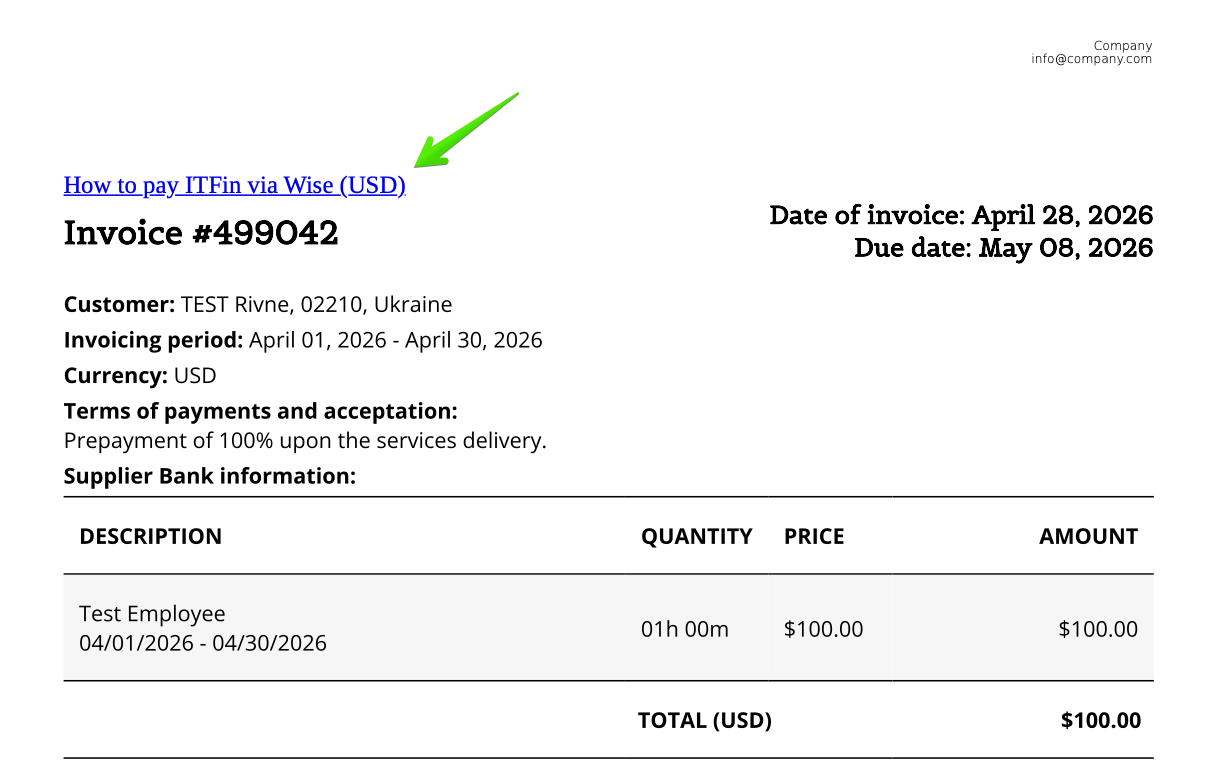
You can add a clickable link to a PDF invoice using an HTML tag.
Example:
<a href="https://docs.google.com/document/d/1nGaWPWFKNaBxNUcDc2Nd8YQ7OAI5XdJMy6n9wx5S7qk/edit?tab=t.0" target="_blank">
How to pay ITFin via Wise (USD)
</a>
How it works
• https://docs.google.com/document/d/1nGaWPWFKNaBxNUcDc2Nd8YQ7OAI5XdJMy6n9wx5S7qk/edit?tab=t.0 - the URL of the document or page the link should open (in this example, a payment instruction)
• target="_blank" - opens the link in a new browser tab
• How to pay ITFin via Wise (USD) - the text displayed in the invoice (the clickable name visible to the user)
• <a href="..."> </a> - the HTML tag used to create the clickable link
Result
As a result, the text How to pay ITFin via Wise (USD) will appear in the PDF invoice as a clickable link that opens the corresponding document.