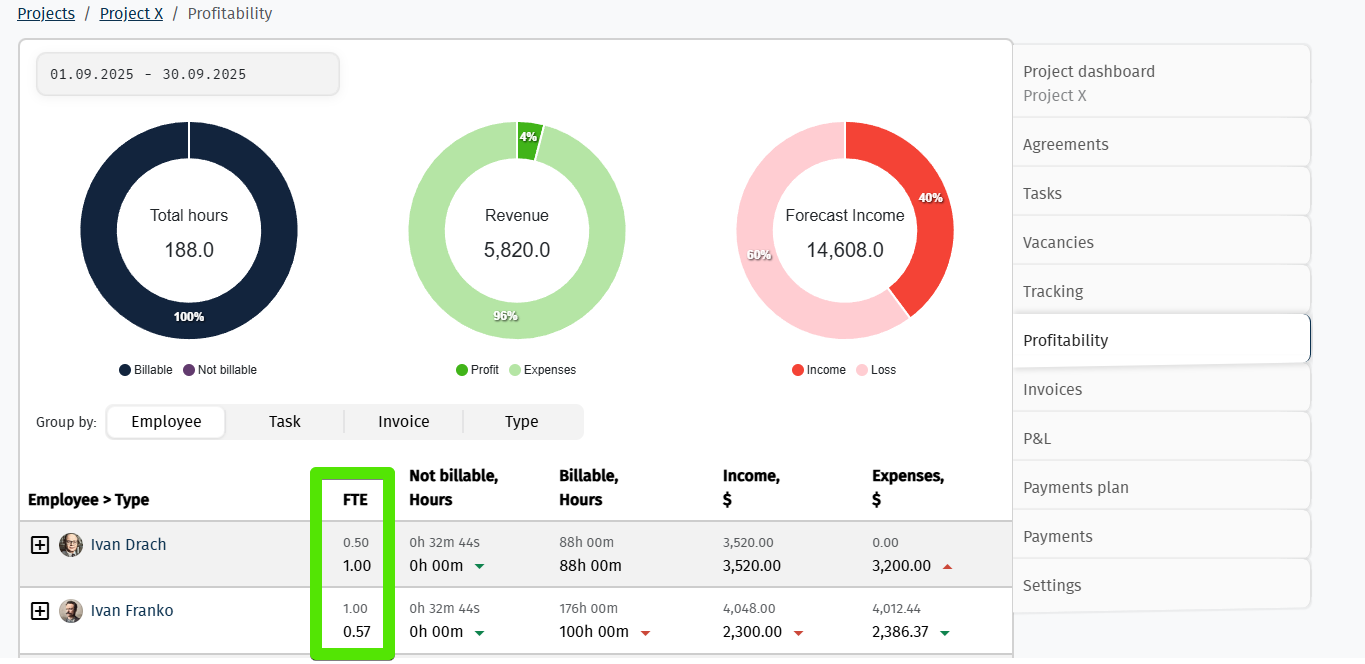
The Full-Time Equivalent (FTE) is a metric used to measure the level of employee workload within a company.
Since ITFin is an ERP system where different modules are designed for different business processes and teams, the FTE calculation differs depending on the context in which it is used.
👉 In payroll reporting, FTE is calculated including paid vacation, as it reflects the employee’s paid workload.
👉 In project reports, paid vacation is excluded to provide a more accurate view of the employee’s actual availability and capacity for project work.
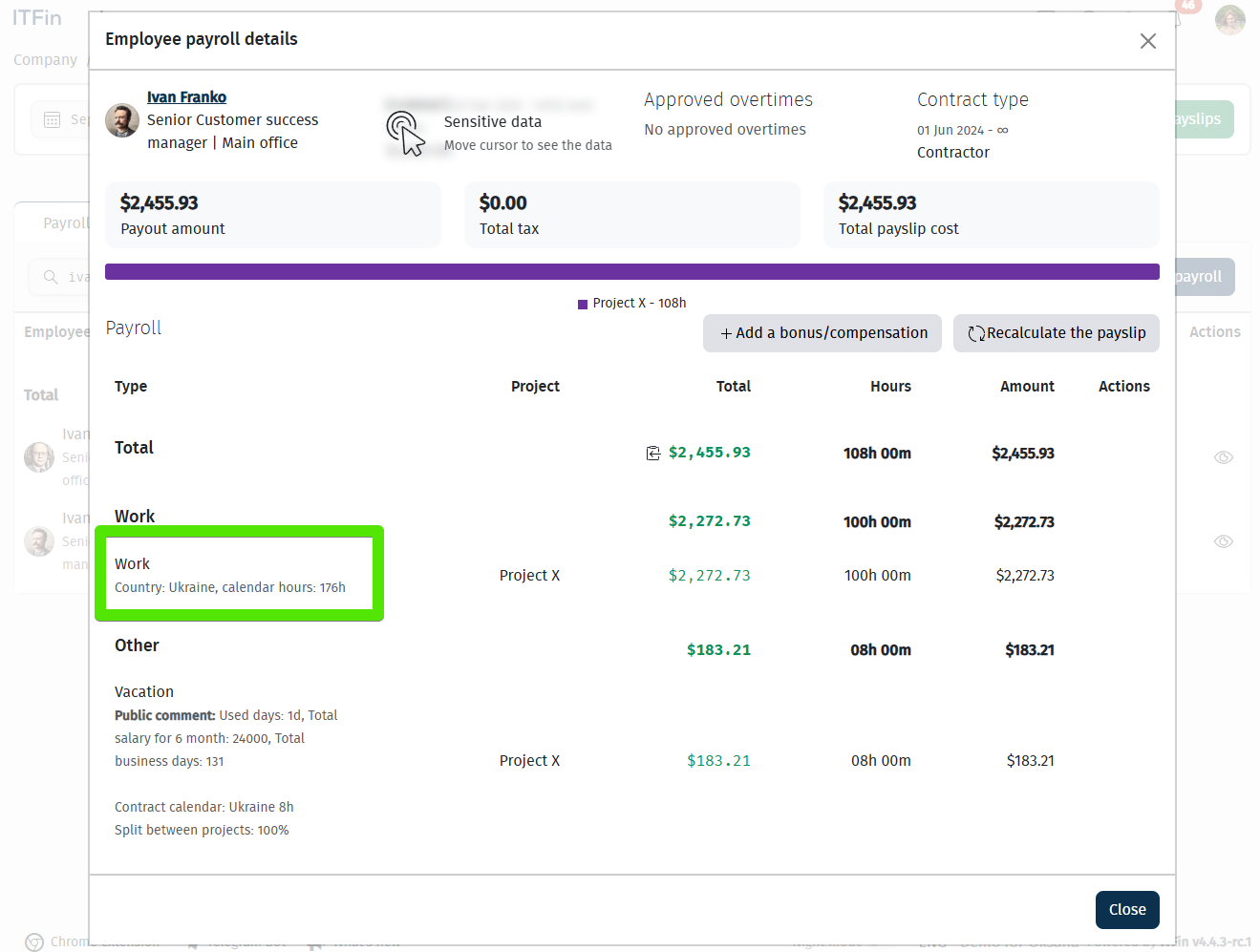
Let’s look at an example with two employees, where one works 0.5 FTE (the standard working time is 4 hours per day).
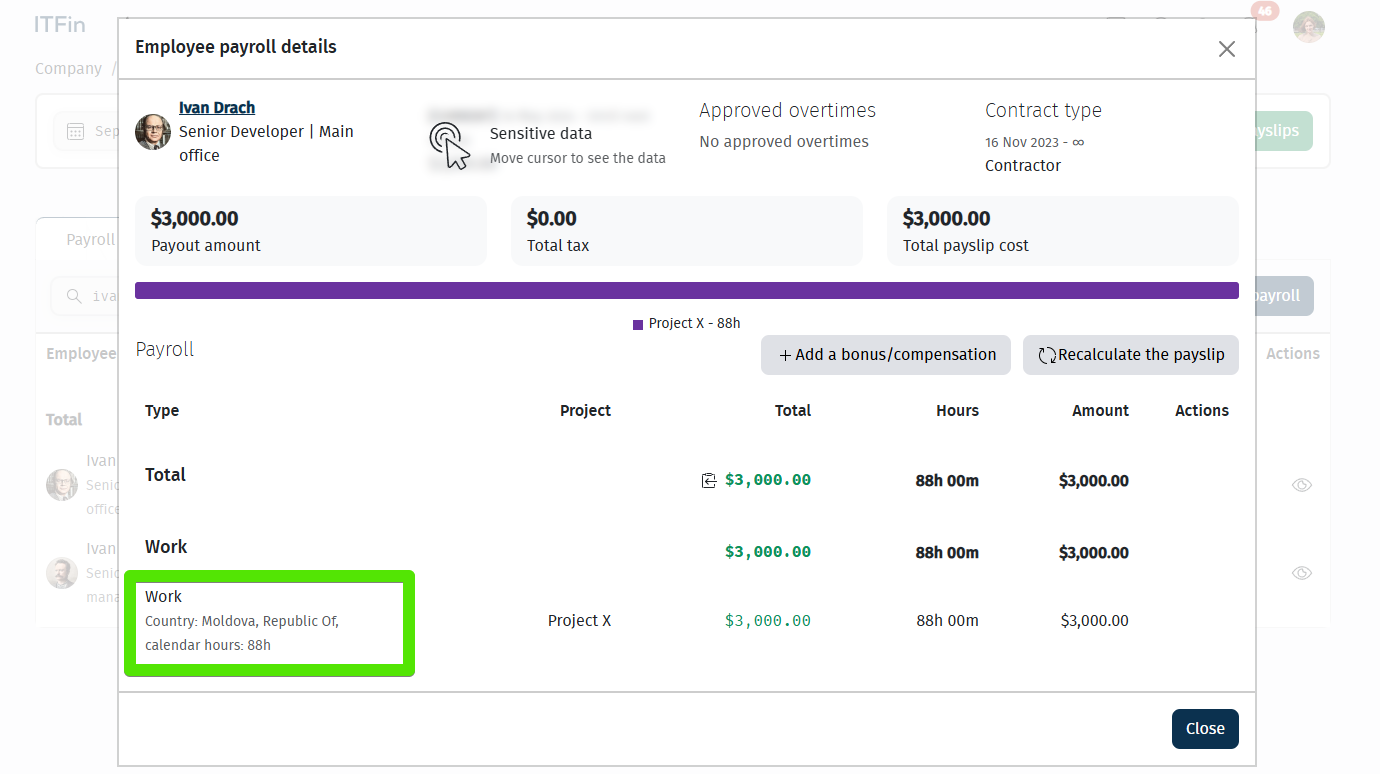
The other works full-time (the standard working time is 8 hours per day).
Payroll
In the Payroll module, FTE is calculated using the following formula:
FTE = Paid hours (hours logged by the employee, including paid time off) ÷ Standard monthly working hours according to the employee’s work calendar
The FTE value in the Payroll module is used for:
• forecasting the company’s payroll expenses;
• calculating per-FTE metrics (for example, revenue per FTE).
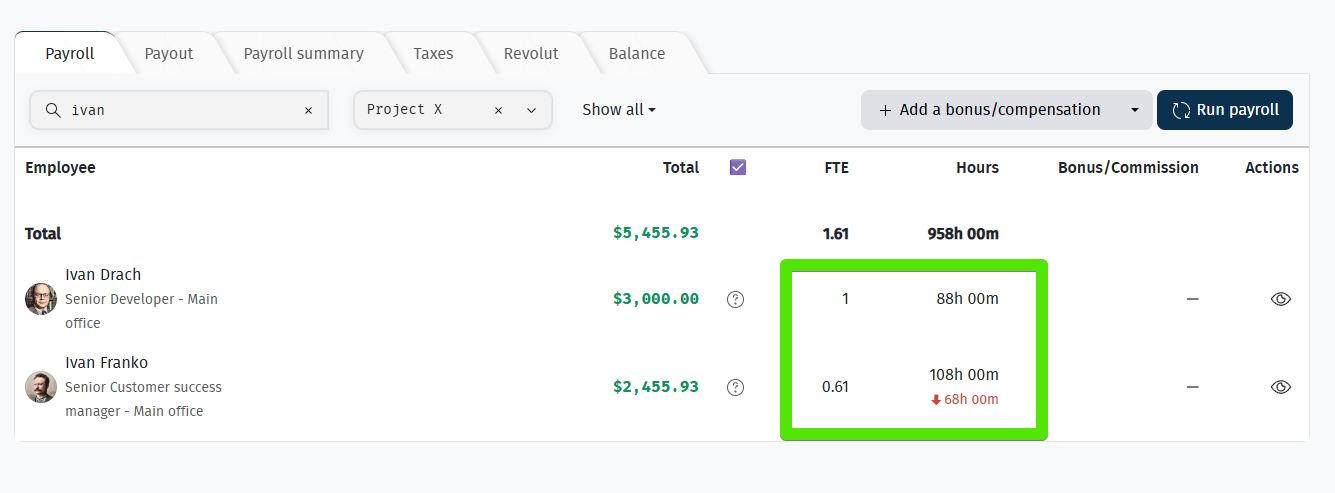
If you access the Payroll report from other sections of the system, such as Team → Payroll, the FTE values will be exactly the same as in the main Payroll report, since they all display the same underlying report and use the same calculation logic.
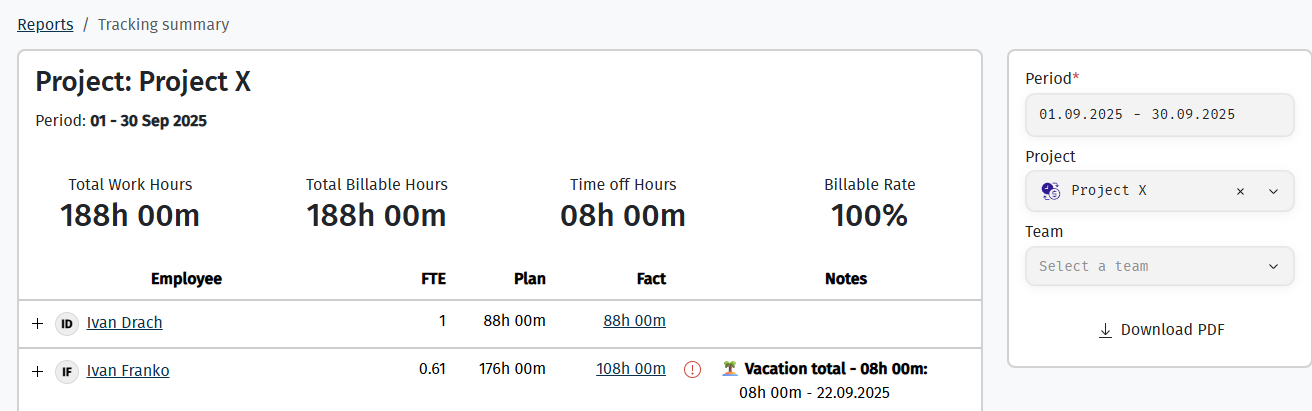
Tracking Summary Report
Since this report is primarily used to review time tracking and verify the accuracy of payroll calculations, FTE is calculated using the same logic as in the Payroll module, meaning that paid time off is included in the calculation.
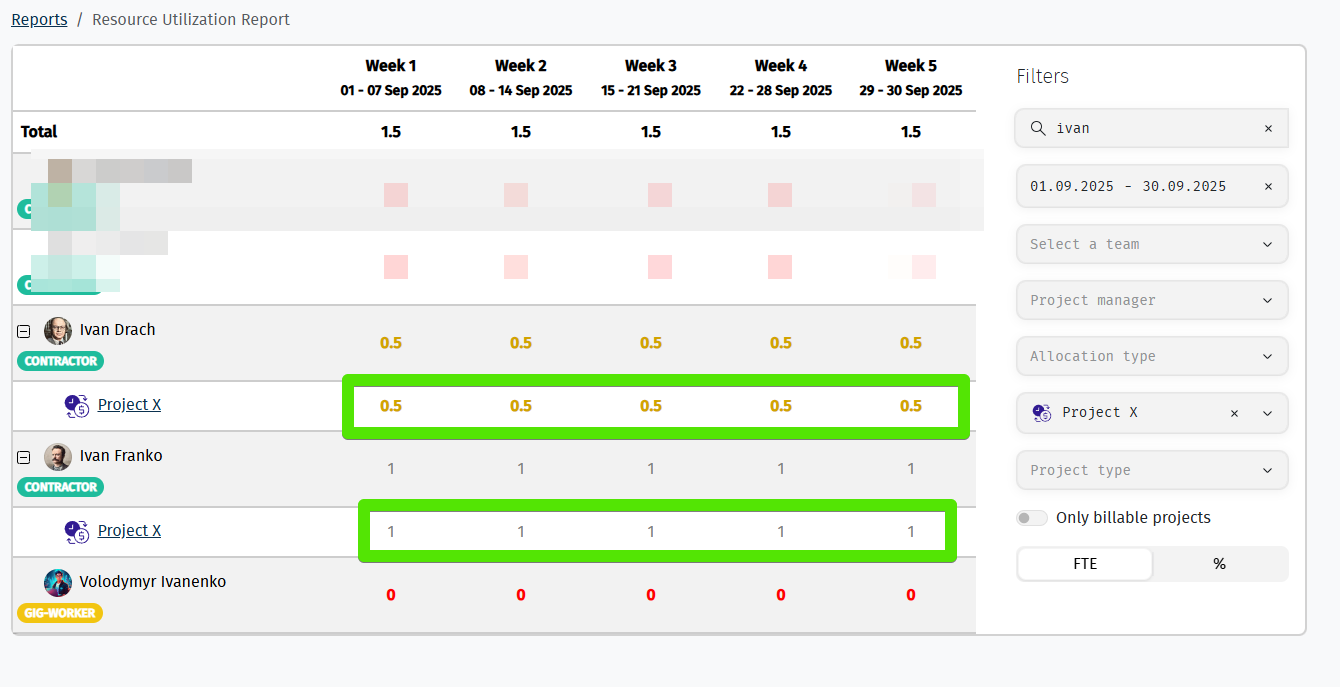
Resource Utilization Report
This report shows how much working time has been allocated to an employee across one or more projects based on their planned project assignments.
The FTE calculation is as follows:
FTE = Planned working hours according to the agreement ÷ Standard monthly working hours
The data in this report is used for resource planning and workload management, helping managers understand employee capacity and allocate resources effectively.
Project Profitability Report
This report uses two FTE metrics: Planned FTE and Actual FTE.
Planned FTE
Planned FTE represents the amount of time allocated to an employee for a specific project according to the project agreement. It is calculated using the same formula as in the Resource Utilization Report:
Planned FTE = Planned working hours according to the agreement ÷ Standard monthly working hours
Actual FTE
Actual FTE represents the number of hours the employee actually logged to the project.
Since paid time off is not logged against a specific project, it is excluded from the FTE calculation in project-based reports.
Actual FTE = Hours logged by the employee to the project ÷ Standard monthly working hours according to the employee’s work calendar
Planned FTE is used for:
• revenue forecasting;
• measuring expected project efficiency;
• project budget planning.
Actual FTE is used for:
• cost analysis;
• comparing planned and actual effort;
• adjusting project plans based on actual resource utilization.