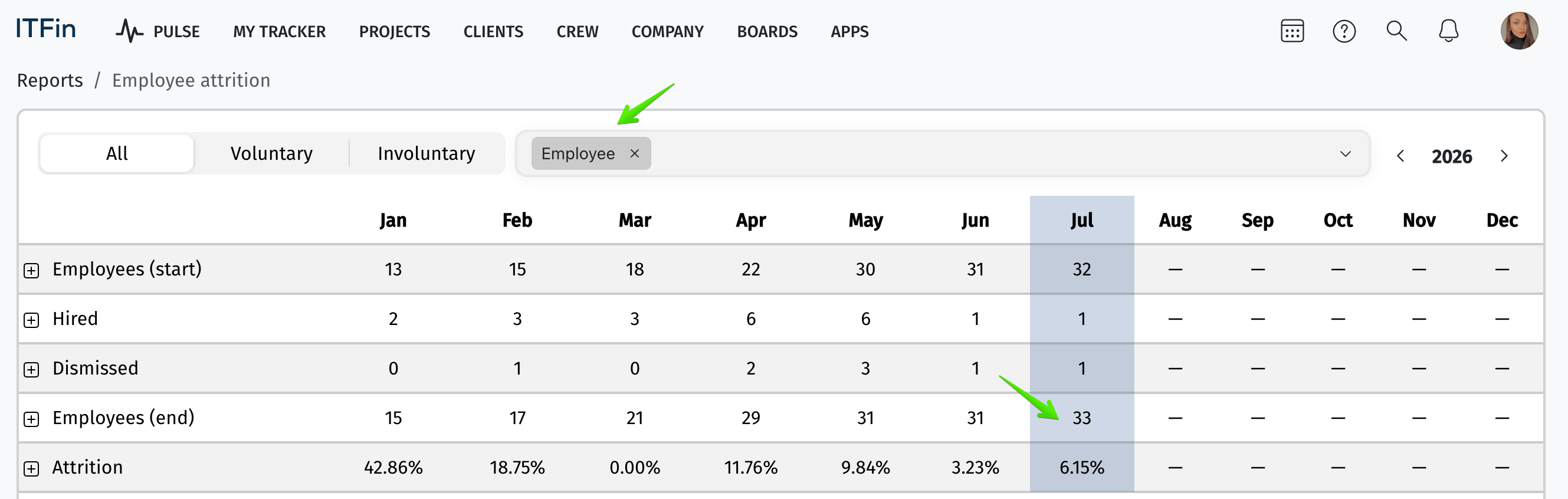
The system includes a detailed report on employee turnover within the company. The Employee Turnover Report displays the number of employees at the beginning and end of a specified period, along with data on hires and terminations. This enables tracking the company’s growth or decline dynamics.
Interface overview
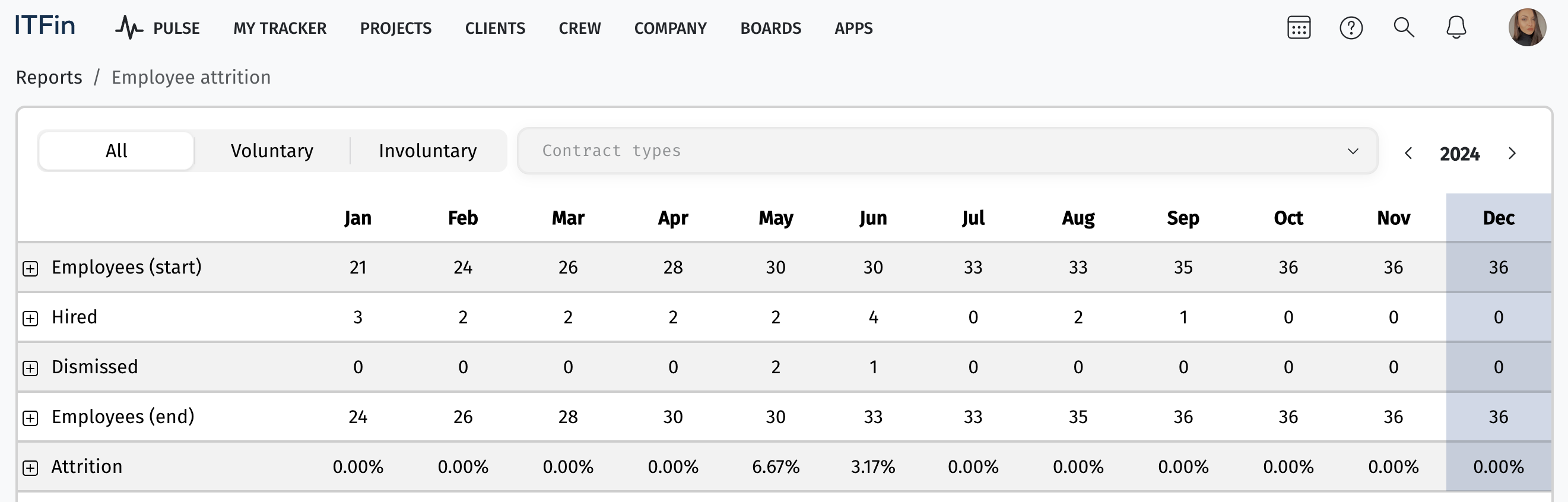
The report is presented in a table format, showing the number of employees hired and terminated at the start and end of a given month. The system also allows filtering by employees who left voluntarily or involuntarily, contract type, and period.
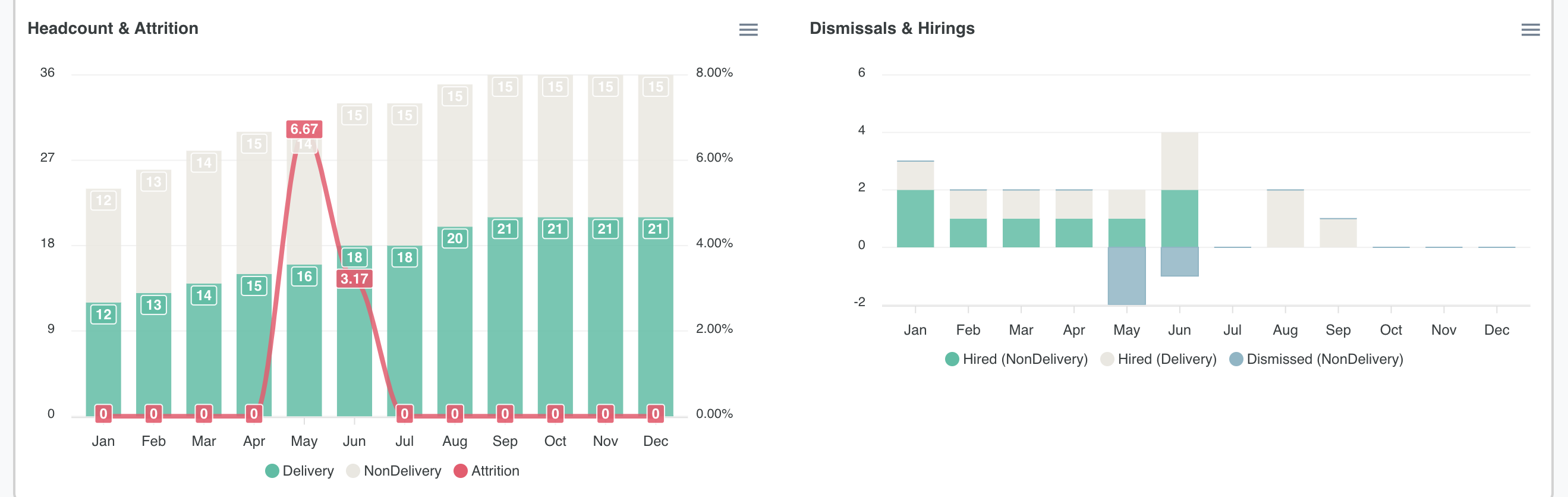
In addition to the table, the data is also presented in a chart format, providing a visual representation to better assess and analyze employee turnover within the company.
The Attrition rate is calculated using the formula:

Logic of the "Employee Attrition" report calculation
Let's look at the example of the Employee contract type:
According to the screenshot, when this filter is selected, the system shows 32 employees at the start of the period, 1 hired, 1 terminated, and 32 employees at the end of the period.
Formally, the calculation looks like this: 32 - 1 + 1 = 32.
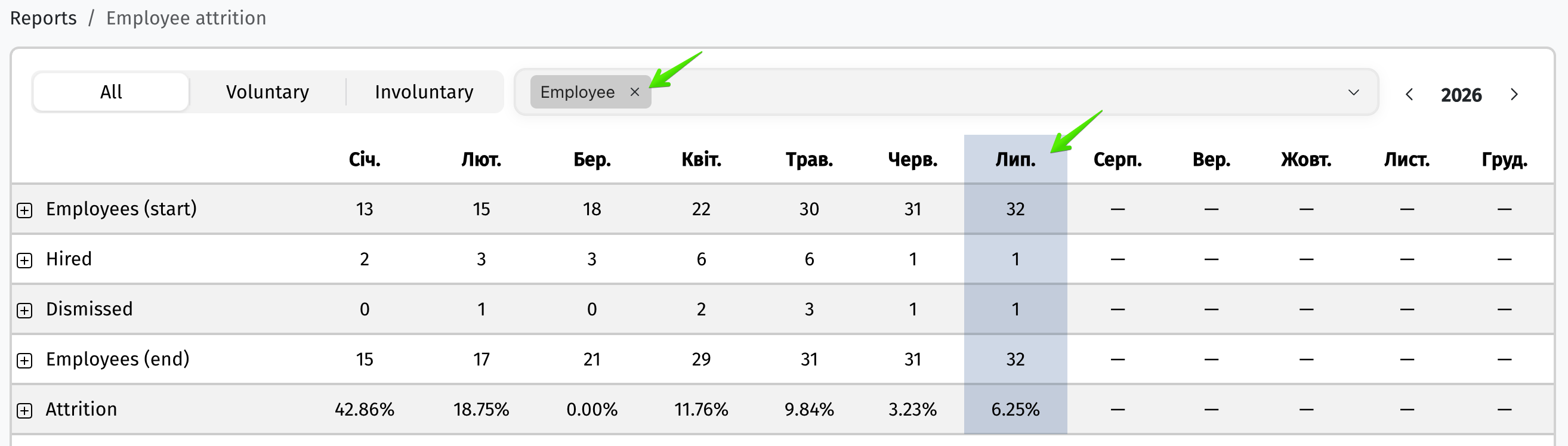
However, if an employee's contract type is changed to Employee during the period (for example, from Freelance), that employee is also included in the end-of-period report as +1 Employee — even though they were technically neither hired nor terminated. The contract type change still affects the final statistics.
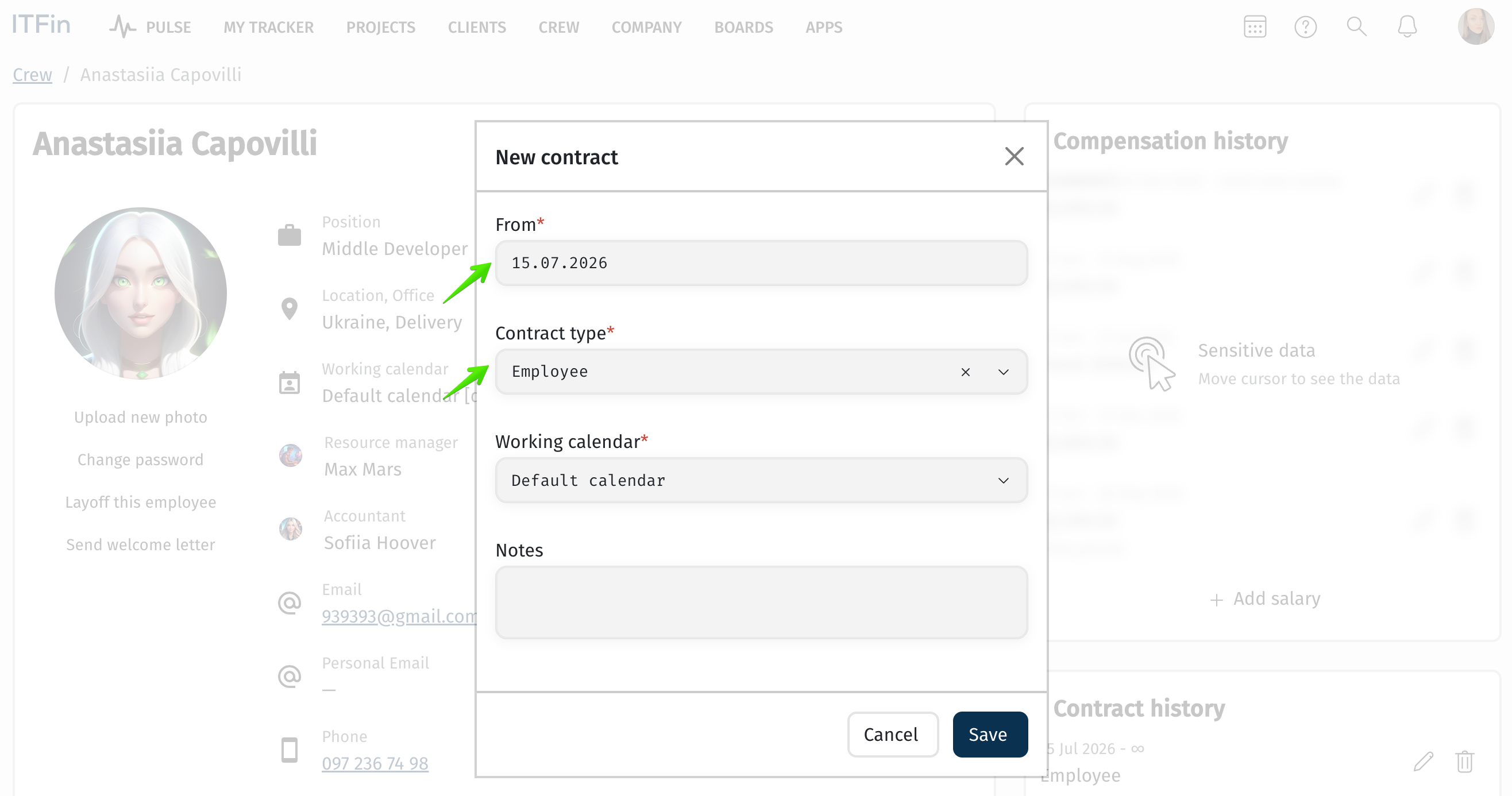
As shown in the screenshot: after the contract type was changed to Employee, the end-of-period statistics showed +1 employee with this contract type.